Best Travel Apps That Actually Work Offline
Travel app recommendations have gotten complicated with all the sponsored content and coffee-shop testing flying around. As someone who spent four days in rural Patagonia with a dead SIM card and Google Maps cheerfully announcing “no internet connection” — right after I’d asked it for directions to my hostel — I learned everything there is to know about offline app preparation the hard way. That trip was also the one where I discovered a Spotify playlist I’d “downloaded” wasn’t actually downloaded. So. Here’s what genuinely works when you have zero bars and even less patience.
Most travel app roundups test everything from a café with fiber internet. The offline angle changes things entirely. Apps that seem identical on a solid connection behave like completely different products when the data disappears. Some hold up. Most fall apart fast.
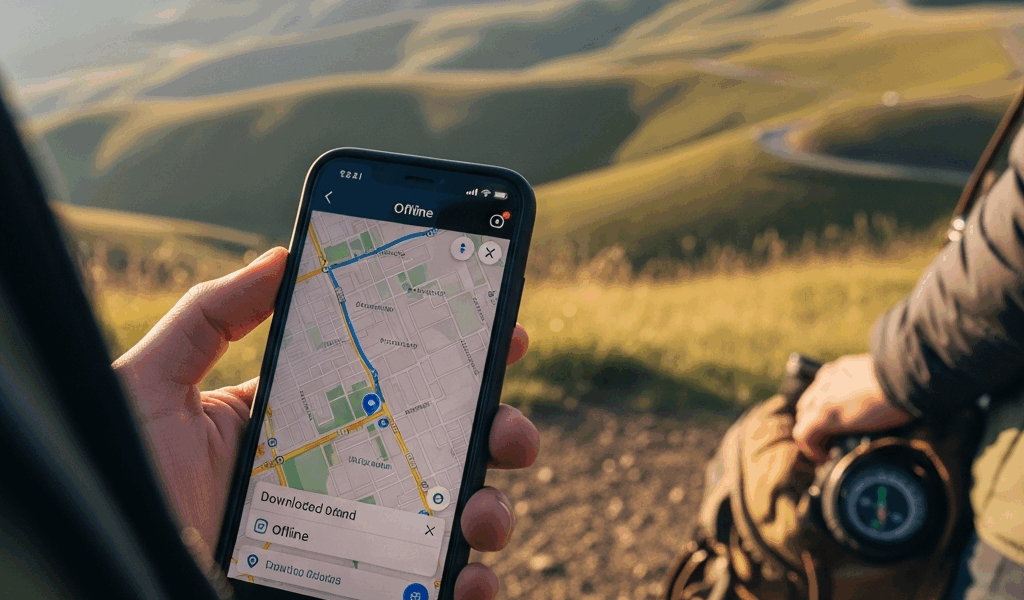
Offline Maps — Google Maps vs Maps.me vs OsmAnd
Stranded by a spotty roaming plan somewhere in the Chilean highlands, I finally understood why offline map downloads matter more than almost anything else you do before a trip. Not “nice to have.” Actually critical.
Google Maps — The Familiar One With Real Limits
But what is Google Maps offline, really? In essence, it’s a downloaded regional snapshot that gives you turn-by-turn navigation without data. But it’s much more limited than that implies. You pull it up by tapping your profile photo, navigating to Offline Maps, then Select Your Own Map — draw your region, hit download. A chunk of southern Chile will run you somewhere between 500MB and 1.2GB depending on how generous you get with the boundaries. Storage matters here, especially on an older phone.
What it won’t give you: transit directions, live traffic, business hours, reviews. The downloaded areas also expire after 30 days, which catches people off guard. For driving between two points on a road, it works fine. For figuring out which taqueria near your Airbnb is actually open right now — useless without a signal.
Maps.me — The Underrated One
Maps.me pulls from OpenStreetMap data and downloads entire countries as single files — Italy runs about 1.1GB, Thailand around 700MB. The interface is clunky. Honestly, pretty clunky. But offline, it genuinely punches above its weight. Hiking trails, walking paths, points of interest with real searchable details — all of it, without a single byte of mobile data. I used it in Morocco and it located a riad tucked into a medina alley that Google Maps didn’t even have on record. That’s what makes Maps.me endearing to us budget travelers who end up somewhere the algorithms haven’t quite caught up with yet.
OsmAnd — Best for Outdoors
OsmAnd might be the best option for serious terrain, as offline navigation in remote areas requires actual topographic detail. That is because apps like Google Maps simply don’t store elevation contours, remote trails, or rural path data in their offline packages. OsmAnd does. The free version caps you at seven map downloads — genuinely annoying. OsmAnd+ is a one-time $3.99 purchase and removes the cap entirely. For anyone heading somewhere actually remote — national parks, mountain regions, rural Southeast Asia — this is the one.
The verdict: Google Maps for urban navigation where you’ve pre-downloaded the region. OsmAnd for anything involving real wilderness. Maps.me as the all-purpose backup that takes the least mental overhead to configure.
Offline Translation — Google Translate vs Microsoft Translator
Probably should have opened with this section, honestly — because getting lost is annoying, but not being able to communicate creates a different kind of stress that compounds everything else happening around you.
Downloading Language Packs Before You Go
Both Google Translate and Microsoft Translator require manual language pack downloads before you go offline. In Google Translate, tap the language, hit the download icon. Packs run from around 40MB for common languages like Spanish or French up to roughly 150MB for languages with more complex scripts. Download on Wi-Fi. Do it the night before your flight — not at the gate, not in the boarding line. Don’t make my mistake of doing it at the gate and watching it time out while the boarding group ahead of you disappears.
Camera Translation — The Feature That Actually Matters
Point your camera at a menu, a street sign, a medicine bottle — the app overlays a translation in real time. Google Translate handles this offline for about 60 languages. Microsoft Translator manages roughly 30 for offline camera use, but its text translation quality in those supported languages is marginally sharper for anything formal or technical.
For offline camera translation covering the widest language range, Google Translate wins. For conversation mode — where two people take turns speaking into the phone and it translates back and forth — Microsoft Translator is smoother offline. Download both. They’re free. Combined storage for a single-region trip stays under 400MB.
An Honest Note on Quality
Offline translation is rough. Context disappears. Grammar gets strange. But in a pharmacy in rural Japan trying to describe a rash, rough beats nothing by a significant margin. I’ve used offline camera translation to decode a bus schedule in Vietnamese, a restaurant menu in Georgian — the country, not the state — and a warning sign in Montenegro. It handled all three in ways that mattered. Good enough is genuinely good enough when the alternative is total confusion.
Currency Converter and Budget Tracking
XE Currency is the standard recommendation and it earns it. Open the app while connected and it automatically caches the most recent exchange rates — no settings to dig through, no download button to hunt for. Go offline and those cached rates persist. They’re not live, obviously, but for a trip of one to two weeks the drift is usually negligible unless something dramatic happens with the currency. The free version shows ads. XE Currency Pro at $1.99/month removes them. Most travelers won’t need the upgrade.
Budget Tracking Without Data
Trail Wallet is the app I wish someone had mentioned to me in 2019 — the year I burned through my entire two-week Amsterdam budget in four days. Painful experience. Trail Wallet is iOS only, costs $2.99, and works entirely offline because it’s just local data entry — no accounts, no syncing, no cloud dependency. Set a daily or trip budget, log each expense manually — four seconds per entry — and it gives you a clean visual of exactly where you stand. Simple. Effective.
Android users have TravelSpend, which supports offline use and handles over 150 currencies with cached rates. The interface is less refined than Trail Wallet, but the core functionality holds up well.
One thing — log expenses the moment you spend. Trying to reconstruct a full day of transactions from memory that evening is exactly how you miss things and blow the budget anyway. Learned that one too.
Travel Planning and Boarding Passes
TripIt — Itinerary Access Without a Connection
TripIt pulls your travel confirmations — flights, hotels, rental cars, restaurant reservations — into one itinerary. The free version stores everything and the offline access is straightforward: once your trip is loaded on the app, all the details are viewable without internet. TripIt Pro at $49/year adds real-time flight alerts and seat tracking, but the free offline itinerary is the feature most travelers actually use.
Boarding Passes — Do This Part Right
Every major airline app stores boarding passes offline once they’re added to Apple Wallet or Google Wallet. Download the pass before you leave for the airport — not in the rideshare, not at the check-in counter. Before. Airport Wi-Fi is notoriously unreliable and the one time you can’t pull up your boarding pass is always the one time you’ve checked bags and skipped the paper backup.
First, you should save PDF copies of every confirmation — hotel, tour, rental car — directly to your phone’s Files app, at least if you’re traveling anywhere with unpredictable connectivity. Not a link to the email. The actual PDF file. I learned this in Lisbon when a hotel had no record of my reservation and the booking platform’s confirmation page wouldn’t load. The PDF opened instantly — resolved the whole thing in under two minutes. That two-minute fix would have been a two-hour ordeal otherwise.
Safety and Emergency Apps
What3Words — Genuinely Useful, Genuinely Strange
What3Words divides the entire planet into 3-meter squares and gives each one a three-word address. Apparently the offline functionality requires downloading a country-specific map first — the UK file runs around 300MB — but once it’s on your phone, you can share your exact location using three words with zero data required. Emergency services in over 100 countries now accept What3Words addresses. If you’re hiking, cycling, or driving remote roads, this one is worth the setup time.
Offline First Aid Reference
The American Red Cross First Aid app has a full offline mode — CPR, allergic reactions, burns, fractures, and dozens of other scenarios with step-by-step instructions and short videos. It’s free. It’s 80MB. The odds you’ll need it on any given trip are low. The consequence of needing it without having it is the kind of thing you don’t want to think about too long. Just download it.
ICE Contacts and Medical Info
Both iPhone and Android have built-in Medical ID features inside their health apps. Fill yours out — blood type, allergies, emergency contacts, any relevant conditions. This information appears on the lock screen without a passcode. No app required, no internet required, no shared language required to be useful in an emergency. It takes about three minutes to fill in and you’ll probably never think about it again — until the one moment it matters enormously.
The pattern across all of these is identical: preparation done on Wi-Fi before departure makes everything downstream easier. The downloads take maybe ten minutes total. Skipping them costs hours. I’ve been the person standing in a foreign train station with no data, no downloaded maps, no local SIM, entirely dependent on borrowed hotspots from strangers who were more patient than they needed to be. Set these apps up before you leave. You won’t regret the ten minutes.



Leave a Reply